 English
 Українська
 Polski
 Español
 ქართული
 Русский
 Հայերեն
How to link different accounts with each other
Let's consider a few options that are possible:
1. How to link to a Telegram - Email account
2. How to link to Email account - Telegram
3. How to link two existing accounts separately
1. How to link to Telegram - Email account
The first option is when you have an account in Telegram and you want to link Email to it. We enter your personal account via Telegram, go to the "Cabinet" section and enter Email.
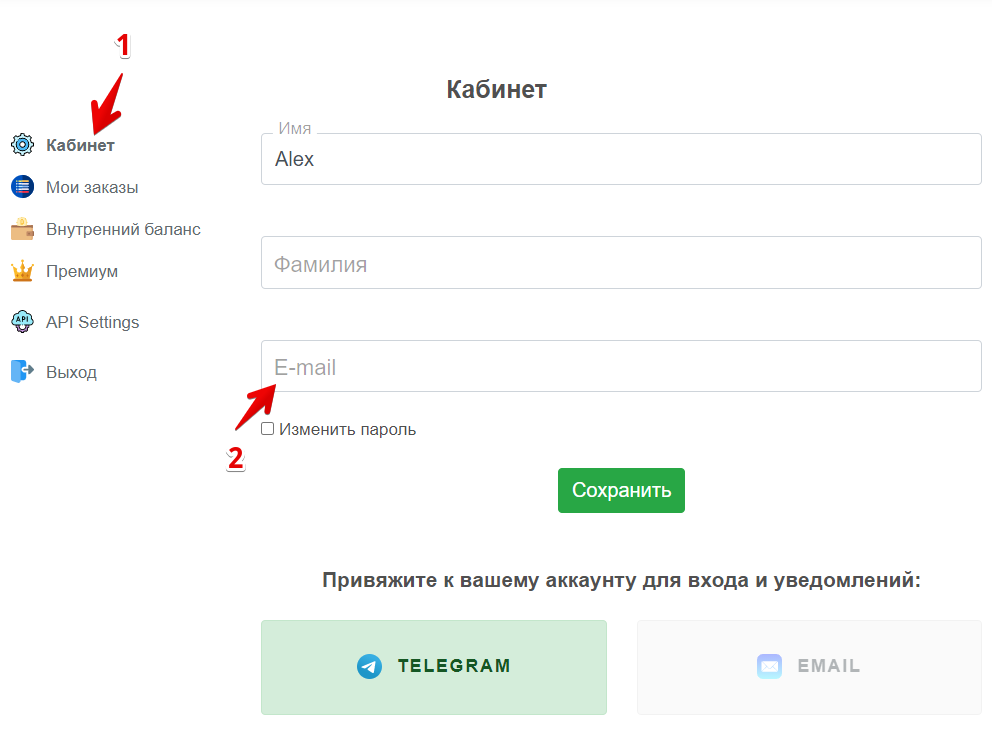
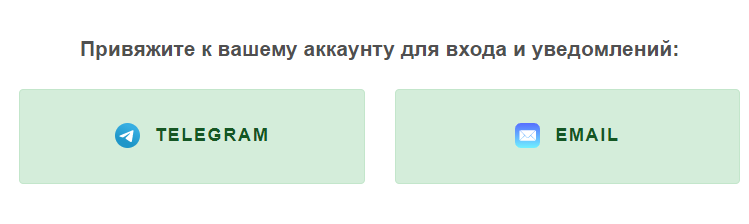
You need to enter Email and set password to login, after that you will be able to log into the same account in the Email-password combination. Active login methods for the current account are highlighted in green. After a successful login, you will see that the Email login method is also active:
2. How to link to Email account of Telegram
Enter your personal cabinet via Email, go to the "Cabinet" section and click on the Telegram button.
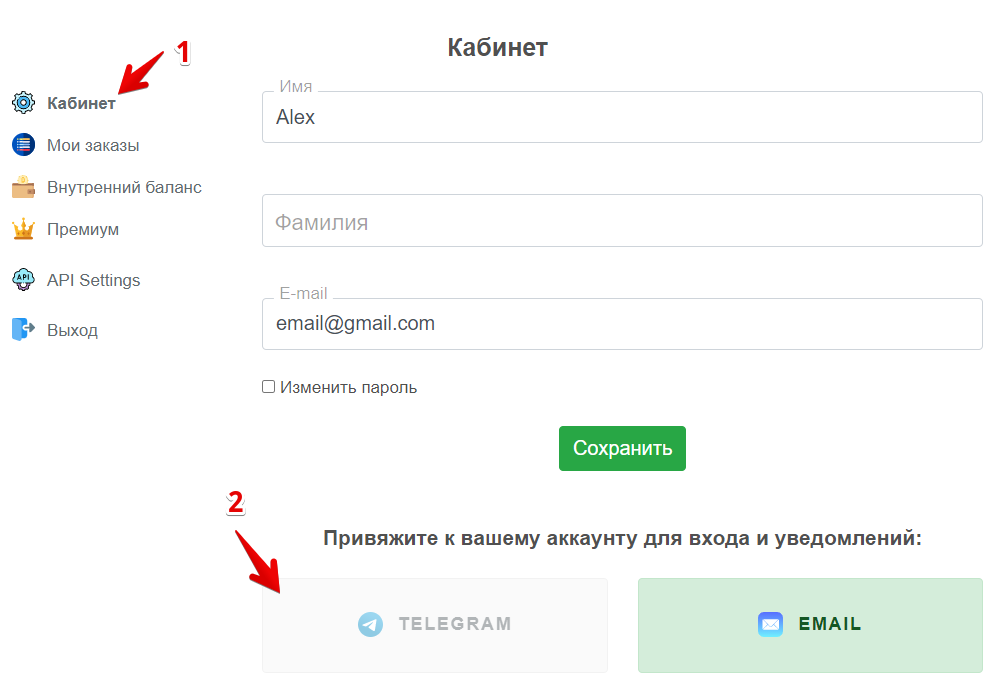
We go through the authorization procedure following the prompts:
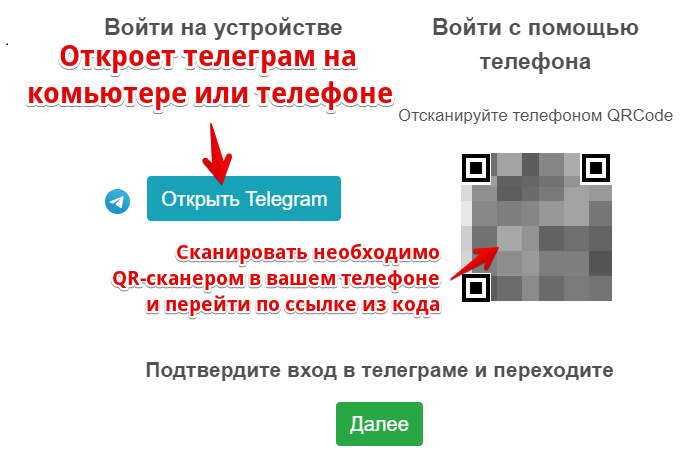
In the Telegram program itself we click the start and return to the site:
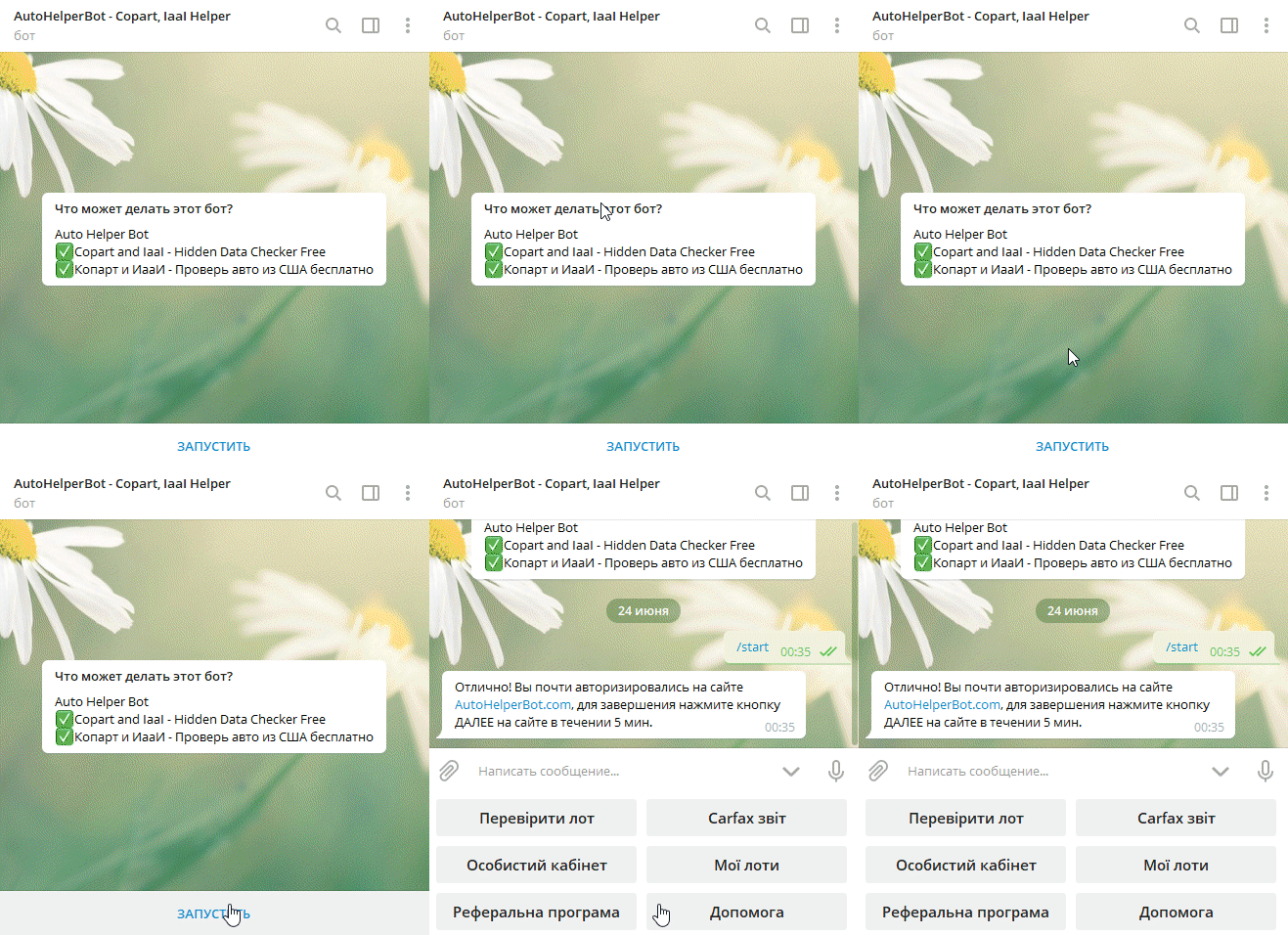
After a successful bundle, you will see that the authorization method via Telegram has also become active:
3. How to link two existing accounts separately
There may be a situation when you have registered Telegram and Email accounts separately, which makes it impossible to link the accounts in the usual way described in paragraphs 1 and 2, but there is a way out.
It is necessary to delete (yes yes, exactly delete and do not worry, you will not be able to delete the Premium account, this requires the usual removal) one of the accounts that you do not need after which to conduct communication procedures, which are described in paragraph 1. How to link to a Telegram Email or 2. How to link to Email account of Telegram.
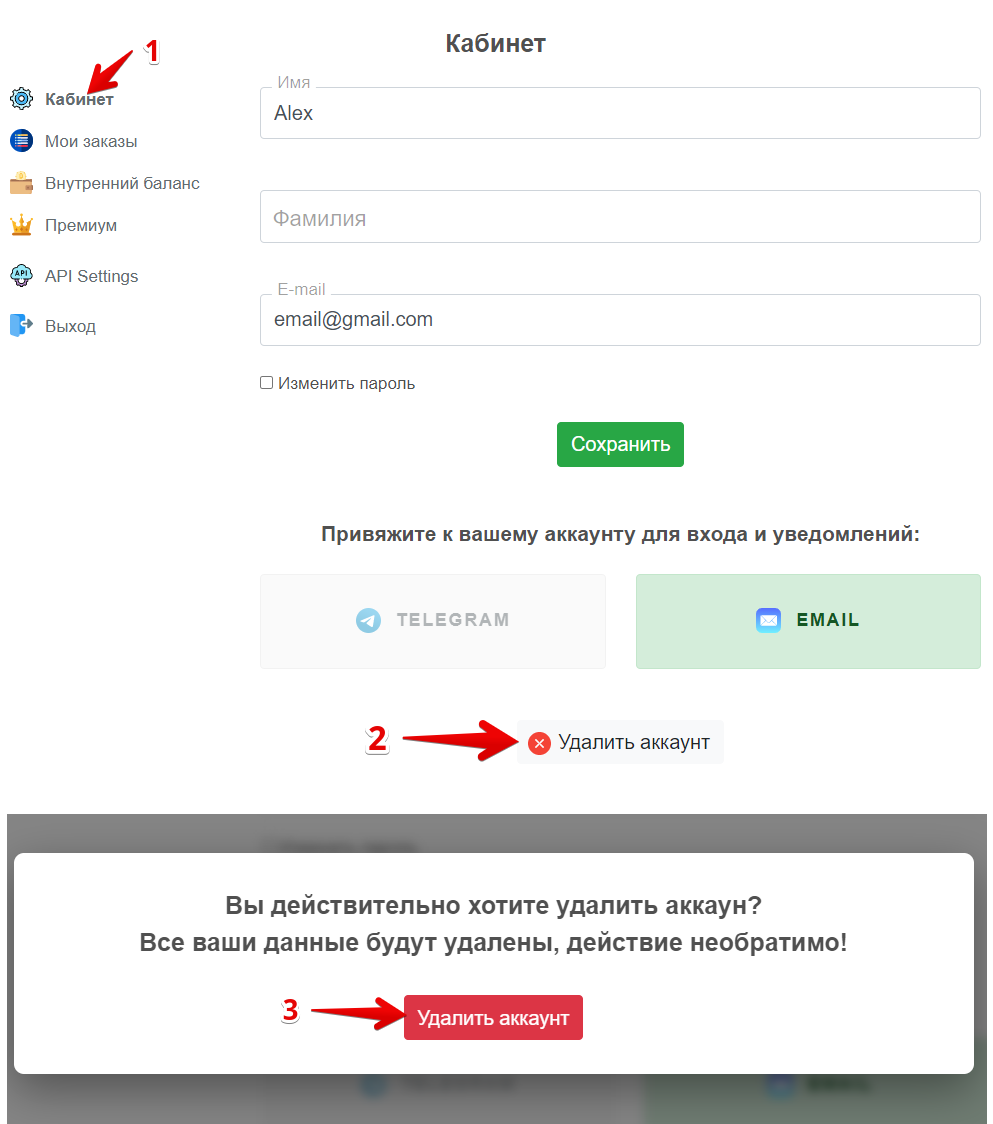
You will be automatically "thrown out" of the account that you deleted and then you will need to log in to the remaining account (your first account) and perform the communication procedure described in paragraph 1. How to link to a Telegram Email or 2. How to link to Email account of Telegram.
P.S. If you still have questions or suggestions - write to us in a chat in the right corner of the screen.
Have a nice use and great shopping!
The AutoHelperBot team.